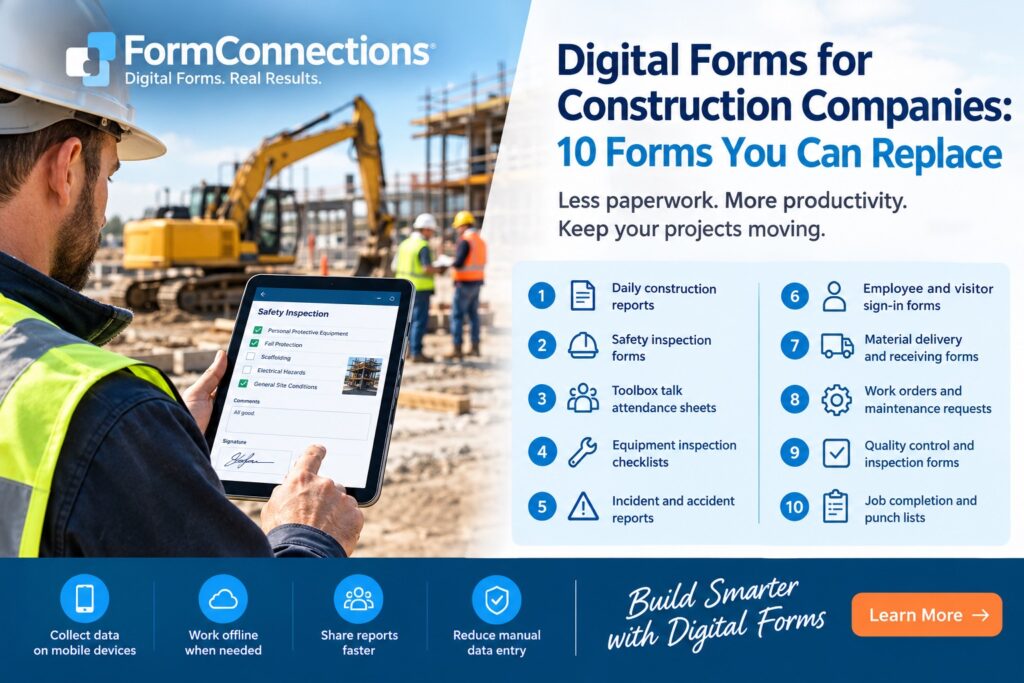
Construction projects generate a lot of paperwork. From daily site reports and safety inspections to equipment maintenance records and employee sign-in sheets, keeping track of paper forms can slow down work and make it harder to share information between the job site and the office.
Digital forms for construction companies offer a simpler way to collect, organize, and share information. Instead of completing paper forms that must be transported, scanned, or manually entered into another system, construction teams can fill out forms on an iPad, iPhone, or other mobile device.
Here are 10 common construction forms you can replace with digital forms to save time, improve accuracy, and keep projects moving.
1. Daily Construction Reports
Daily construction reports document what happened on a job site, including completed work, labor hours, weather conditions, materials delivered, and any delays or issues.
Paper reports can take time to complete and often don’t reach the project manager until the end of the day or later. Digital forms allow site supervisors to record updates directly from the job site and submit reports to the office without waiting for paperwork to be delivered.
2. Job Site Safety Inspection Forms
Regular safety inspections help construction companies identify hazards and document corrective actions. Inspection forms may cover protective equipment, fall protection, scaffolding, electrical hazards, and general site conditions.
With digital forms, inspectors can record findings on-site, add comments, and capture supporting information. Completed inspection records can be shared more quickly, helping supervisors follow up on potential problems.
3. Toolbox Talk Attendance Sheets
Toolbox talks give construction workers an opportunity to review safety procedures, discuss job-specific hazards, and reinforce safe working practices. Attendance sheets provide a record of who participated.
Replacing paper sign-in sheets with digital forms makes it easier to record attendance and retain organized records of safety meetings. Supervisors can complete attendance records on a mobile device instead of collecting and filing sheets of paper.
4. Equipment Inspection Checklists
Construction equipment needs regular inspections to help identify damage, wear, and potential safety concerns. Checklists may cover vehicles, excavators, forklifts, power tools, and other machinery.
Digital equipment inspection forms allow operators to complete checklists at the start of a shift or before using equipment. Problems can be documented immediately, giving the appropriate personnel a clearer record of the equipment’s condition.
5. Incident and Accident Reports
When an injury, near miss, property damage event, or other incident occurs, accurate documentation is essential. Incident reports may include the date, location, people involved, a description of what happened, and any actions taken.
Digital incident forms make it easier to capture information while details are still fresh. Companies can standardize the information collected and share completed reports with the appropriate managers for review and follow-up.
6. Employee and Visitor Sign-In Forms
Construction sites often need to maintain records of workers, subcontractors, inspectors, and visitors entering the site. Paper sign-in sheets can become difficult to manage, particularly on busy projects with multiple contractors.
Digital sign-in forms provide a consistent way to collect names, company details, arrival times, and other required information. Records can be stored electronically rather than kept in binders or filing cabinets.
7. Material Delivery and Receiving Forms
Construction projects depend on timely deliveries of building materials, tools, and supplies. Receiving forms help confirm what arrived, when it arrived, and whether quantities or conditions differ from the order.
Using digital forms, site personnel can document deliveries as they happen and record shortages, damaged materials, or other discrepancies. This creates a more accessible record for project managers and purchasing staff.
8. Work Orders and Maintenance Requests
Construction companies use work orders to assign tasks, request repairs, and track work that needs to be completed. Paper work orders can be misplaced or delayed while moving between field personnel, supervisors, and maintenance staff.
Digital work order forms make it easier to capture the problem, identify the equipment or location involved, and record the work required. Electronic records also help teams review completed requests and identify recurring issues.
9. Quality Control and Inspection Forms
Quality control forms help construction teams verify that work meets project specifications and required standards. They may cover concrete placement, framing, installation work, finishing, or other construction activities.
Digital inspection forms provide a consistent format for recording results, noting deficiencies, and documenting corrective actions. Completed records can be shared with project managers and retained for future reference.
10. Job Completion and Punch List Forms
Before a project or phase is handed over, construction teams need to identify unfinished work, document deficiencies, and confirm that outstanding items have been addressed.
Digital punch list and completion forms allow supervisors to record outstanding tasks, assign responsibility, and update completion status. Instead of circulating paper lists, teams can maintain electronic records that are easier to review and share.
Why Construction Companies Are Switching to Digital Forms
Replacing paper forms with digital forms is about more than eliminating printing costs. It changes how information moves between the job site and the office.
With mobile forms, construction companies can standardize data collection, reduce manual data entry, improve record accessibility, and make completed reports available sooner. Digital forms can also support photographs, signatures, and other information needed to document work accurately.
For companies working in areas with limited or unreliable internet access, offline form capabilities are particularly valuable. Workers can complete forms on-site and synchronize or share the information when connectivity becomes available, depending on the application being used.
The result is less time spent managing paperwork and more time focused on construction work.
Choosing the Right Digital Forms Solution
When evaluating digital forms software for construction, consider how your team works in the field. Can workers complete forms on their existing mobile devices? Can forms be customized to match your inspection checklists and reporting requirements? Can completed forms be saved, shared, and converted into professional PDF reports?
Offline access is another important consideration for remote job sites. If multiple workers need access to the same forms or the office needs centralized visibility into field activity, look for a solution that supports the appropriate synchronization and team-management features.
The best solution is one that fits your existing workflow without forcing your team to adopt unnecessary complexity.
Replace Construction Paperwork with FormConnect
FormConnect from FormConnections helps construction professionals replace paper-based processes with digital forms designed for mobile data collection.
Whether you need daily construction reports, safety checklists, equipment inspections, or job completion records, digital forms can help your team collect information in a consistent format and share it more efficiently.
FormConnections offers three solutions to suit different needs: FormConnect Pro for individuals, FormConnect Pro+ for power users, and FormConnect ProMax for teams and organizations that need centralized form management.
Instead of managing stacks of paperwork from multiple job sites, your team can spend less time handling forms and more time getting the work done.
Ready to move beyond paper forms? FormConnections (https://www.formconnections.com) provides digital form solutions for individuals, power users, and teams.