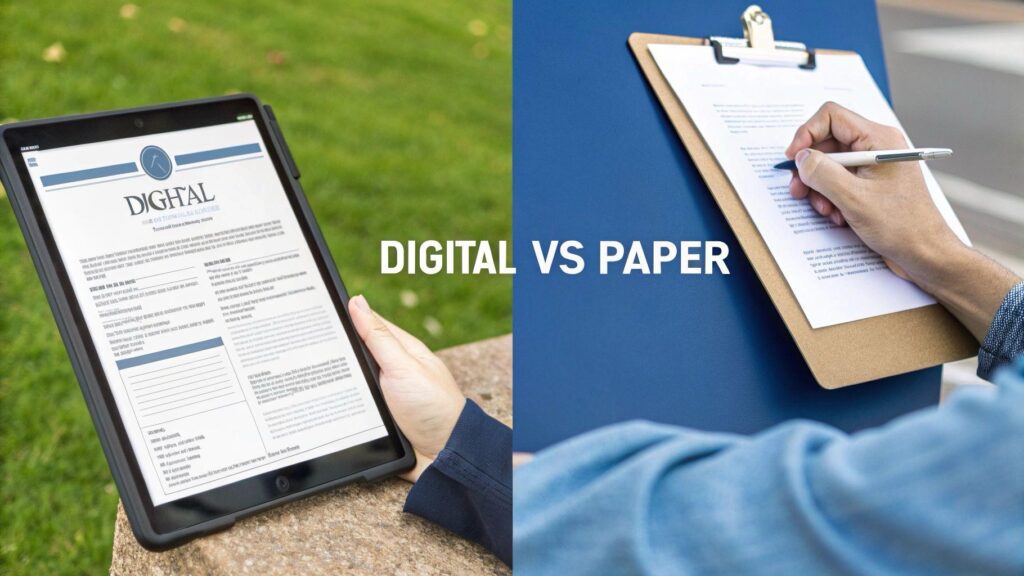
For decades, businesses have relied on paper forms to collect information. Service reports, inspections, work orders, customer intake forms, and checklists have traditionally been printed, completed by hand, and returned to the office.
But there’s a better way to work.
Mobile forms allow employees to create and complete digital forms on smartphones, tablets, Macs, and PCs. Instead of carrying paperwork from one location to another, information can be captured digitally and shared with the people who need it. So, which is better: paper forms or mobile forms?
For businesses that rely heavily on forms, mobile forms offer some significant advantages.
Paper Forms vs. Mobile Forms at a Glance
| Paper Forms | Mobile Forms | |
|---|---|---|
| Data entry | Handwritten | Digital |
| Accuracy | Manual checking | Validation and required fields |
| Calculations | Manual | Can be automated |
| Photos | Handled separately | Captured in the form |
| Signatures | Pen and paper | Digital |
| Sharing | Scan, fax, mail, or hand delivery | Digital sharing and sync |
| Storage | Filing cabinets and boxes | Digital records |
| Searching | Manual | Searchable |
| Offline use | Yes | Yes, with offline-capable software |
| Data re-entry | Often required | Can be eliminated or reduced |
The differences become even more important when you look at how forms are actually used in a business.
1. Mobile Forms Eliminate Much of the Paperwork
Paper forms have to be printed, distributed, carried around, collected, and eventually filed or scanned.
Mobile forms eliminate many of those steps.
An employee can open a digital form on a smartphone or tablet, complete it, and submit it without ever handling a piece of paper. For businesses with employees working in the field, this can make a major difference.
A technician doesn’t need a folder full of forms in the truck. An inspector doesn’t need to carry a clipboard from job site to job site. The forms are already on the device.
Advantage: Mobile Forms
2. Digital Forms Can Improve Accuracy
Handwritten forms create an obvious problem: people have to read them.
Even when handwriting is legible, paper forms can contain missing information, inconsistent entries, or calculation errors. Mobile forms can help prevent these problems.
Digital forms can include:
- Required fields
- Checkboxes and dropdown menus
- Automatic calculations
- Date and time fields
- Data validation
- Pre-populated information
Instead of relying entirely on the person completing the form to remember everything, the form itself can help guide the user.
Advantage: Mobile Forms
3. Photos and Signatures Become Part of the Form
Many business processes require more than text.
A service technician may need to photograph damaged equipment. An inspector may need to document a safety issue. A customer may need to sign a completed service report.
With paper, these activities are often handled separately.
With mobile forms, photos, signatures, and other information can be captured directly as part of the digital form.
That means the completed record can contain the information needed to document the job without requiring someone in the office to assemble everything afterward.
Advantage: Mobile Forms
4. Information Gets Back to the Office Faster
This may be the biggest advantage of mobile forms.
Consider a technician who completes a service report at 2:00 PM.
With a paper form, the office may not see that report until the technician returns.
With a mobile form, the completed information can be shared or synchronized as soon as connectivity is available.
That can allow the office to:
- Review completed work
- Contact the customer
- Schedule follow-up work
- Begin billing
- Identify problems
- Update records
The difference isn’t simply that the form is digital. The information moves faster.
Advantage: Mobile Forms
5. Mobile Forms Can Work Without Internet Access
What happens when an employee is working somewhere without Wi-Fi or reliable cellular service?
That doesn’t necessarily mean the digital form can’t be used.
Offline-capable mobile form solutions allow employees to complete forms without an internet connection and synchronize the information when connectivity returns.
This is particularly valuable for:
- Construction sites
- Remote locations
- Industrial facilities
- Rural areas
- Basements and buildings with poor connectivity
- Field service operations
For mobile workers, offline functionality can be just as important as online synchronization.
Advantage: Mobile Forms
6. Digital Records Are Easier to Store and Find
A single paper form doesn’t take up much space. Thousands of forms do. As a business grows, paper records can lead to filing cabinets, storage rooms, boxes, scanning, and increasing amounts of administrative work.
Digital forms eliminate much of that physical storage. More importantly, digital records can be searched.
Instead of asking an employee to dig through filing cabinets for an inspection report from six months ago, a digital system can make finding that information much faster.
Advantage: Mobile Forms
What About Cost?
Paper forms can appear inexpensive because a sheet of paper costs very little.
But the true cost of paper includes much more than printing.
Businesses also spend time and money on:
- Printing and supplies
- Scanning
- Filing
- Physical storage
- Manual data entry
- Correcting errors
- Retrieving documents
- Replacing lost paperwork
For a business that processes only a handful of forms each month, paper may still be perfectly practical. But for organizations processing hundreds or thousands of forms, the administrative cost of paper can become significant.
That’s where mobile form software can provide a measurable return on investment.
When Should Your Business Switch to Mobile Forms?
Your business may be ready to move away from paper if you regularly experience problems such as:
- Employees completing forms in the field
- Lost or misplaced paperwork
- Illegible handwriting
- Repeated data entry
- Delays getting completed forms back to the office
- Difficulty finding old records
- Employees needing to capture photos
- Customers needing to sign forms
- Large amounts of paper storage
If several of these sound familiar, moving to digital forms could eliminate unnecessary steps from your workflow.
From Paper Forms to Digital Workflows
The biggest benefit of mobile forms isn’t simply getting rid of paper. It’s what happens after the form is completed.
A paper form generally becomes a document that gets filed away.
A digital form can become part of a larger workflow:
Customer Request → Digital Form → Field Employee → Completed Form → Office → Billing or Follow-Up
That makes the form an active part of the business process rather than simply a piece of paperwork.
How FormConnect Helps
FormConnections offers digital form solutions for individuals, power users, and organizations.
FormConnect Pro makes it easy for individuals to create, fill out, and share digital forms.
FormConnect Pro+ adds advanced capabilities for power users, including form synchronization across supported devices.
FormConnect ProMax is designed for teams and organizations that need centralized form management, multi-user collaboration, multi-device support, synchronization, and form dispatching.
Whether you’re replacing a single paper form or moving an entire field workflow to digital, FormConnect provides a way to get started.
The Bottom Line
Paper forms aren’t necessarily going away tomorrow. For some businesses and some situations, they still make sense.
But if your employees spend significant time printing, carrying, scanning, filing, searching for, or manually entering information from paper forms, it’s worth considering a different approach.
Mobile forms can help businesses collect information faster, improve accuracy, reduce paperwork, and keep information moving.
And the real opportunity isn’t simply to replace a sheet of paper with a tablet. It’s to transform the way your business works with information.
Build forms once. Collect data anywhere. Keep your team in sync.