If there’s one thing modern business demands, it’s flexibility. You might start your morning analyzing operations at your desk, spend the afternoon conducting field inspections, and wrap up your evening answering urgent customer requests on the move.
If your team is still trapped using rigid, paper-based forms—or clunky software tied to a single desktop—your productivity takes a hit every time you switch locations.
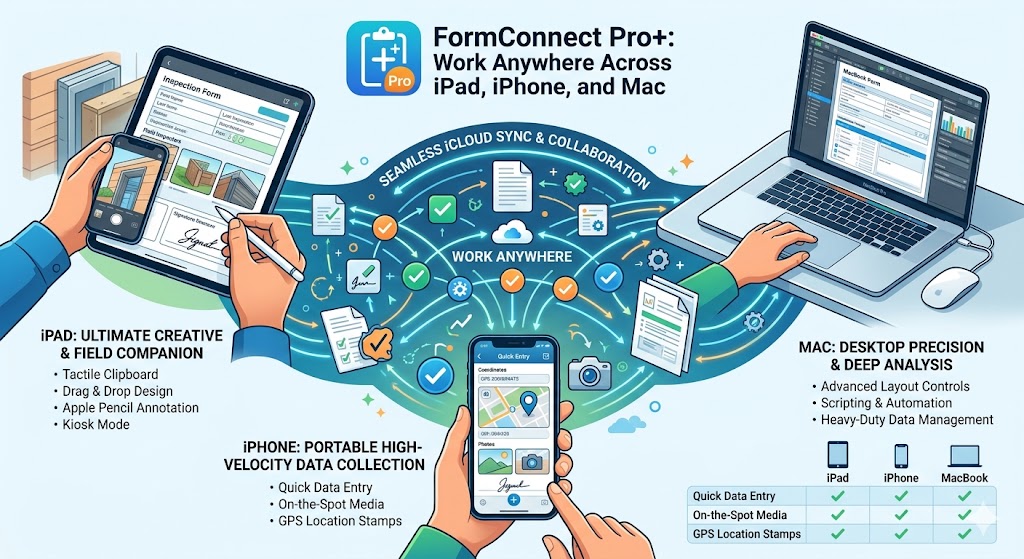
That’s why FormConnect Pro+ is built specifically for the entire Apple ecosystem. With a single license, you get deep, native support across the iPad, iPhone, and Mac. You can design a form once and deploy it everywhere.
Here is how FormConnect Pro+ adapts to the way you actually work, no matter which screen is in front of you.
📱 On the iPhone: Portable, High-Velocity Data Collection
When you are on-site or moving fast, your phone is your best tool. The iPhone version of FormConnect Pro+ isn’t a stripped-down afterthought; it’s a pocket-sized powerhouse optimized for quick, accurate data entry.
-
Frictionless Form-Filling: Tap checkboxes, toggle drop-down lists, and capture secure digital signatures right on the screen.
-
On-the-Spot Media: Use the iPhone’s advanced camera system to instantly snap photos of a job site, product defect, or receipt, and attach them directly to the form.
-
Smart Fields: Automatically stamp your precise location using the GPS field setting, transforming coordinates into physical addresses seamlessly.
📋 On the iPad: The Ultimate Creative and Field Companion
The iPad is where FormConnect Pro+ truly shines as a tactile, interactive clipboard. It balances the mobility of a phone with the expansive screen real estate needed for complex workflows.
-
Drag-and-Drop Form Design: Lay out an unlimited number of custom form templates using text boxes, radio buttons, and tables.
-
Rich Image Annotation: Don’t just take photos—draw and write right on top of them using your finger or an Apple Pencil to highlight exactly what needs attention.
-
Kiosk Mode: Turn your iPad into a customer-facing portal. Lock down the user interface so clients can fill out intake forms, sign waivers, or complete surveys without accessing the rest of your device.
💻 On the Mac: Desktop Precision and Deep Analysis
When it’s time to review data, write comprehensive reports, or build intricate, multi-page forms, nothing beats the precision of a Mac.
-
Advanced Layout Controls: Use keyboard shortcuts, precise mouse controls, and multi-window views to manage complex organizational workflows.
-
Form Automation & Scripting: Use index tabs to navigate large forms, build nested lists, and write custom scripts to automate repetitive commands.
-
Heavy-Duty Data Management: Execute database queries, perform complex spreadsheet-like calculations across rows or columns, and batch-export records.
🔄 The Magic Link: Seamless iCloud Sync & Collaboration
Having an app on three platforms only matters if your data stays in perfect harmony. FormConnect Pro+ utilizes automatic iCloud syncing to ensure your forms and records are updated instantaneously across all of your personal Apple devices.
Ready to Streamline Your Workflows?
Stop wrestling with paper clipboards or disjointed systems. Whether you are an inspector in the field, a doctor managing patient intake, or a coordinator tracking inventory, FormConnect Pro+ brings your team onto the same page.
Download FormConnect Pro+ from the App Store today and experience the freedom of a truly cross-platform workspace.