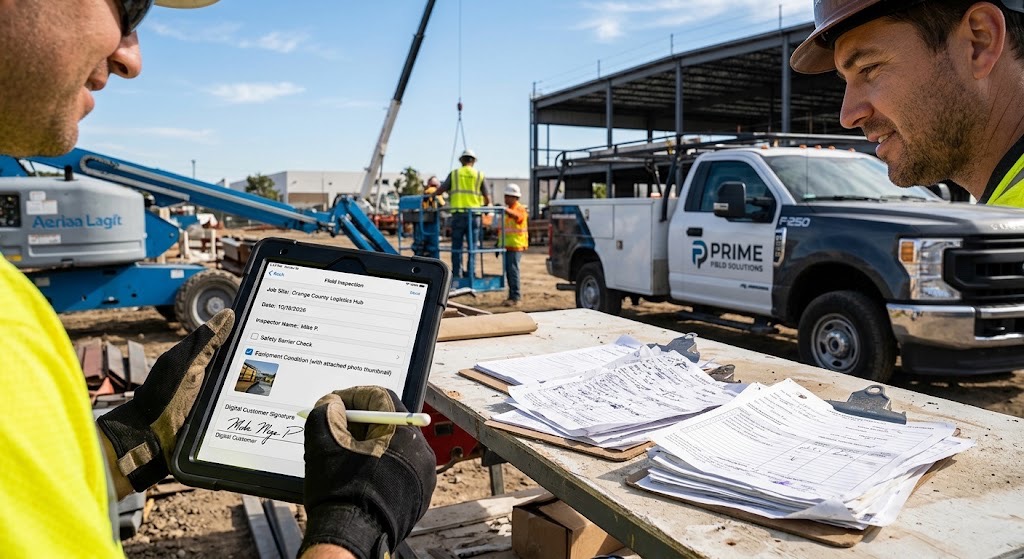
If your field service, construction, inspection, or maintenance teams are still lugging clipboards, binders, and triplicate carbon paper forms from job site to job site, it’s time for an upgrade.
Paperwork has long been a necessary evil of field operations. But it’s also slow, prone to errors, and a massive bottleneck when you need to bill clients or update the home office. Transitioning to iPad forms isn’t just about going “green”—it’s a fundamental shift in operational efficiency.
Here is how replacing traditional paperwork with iPad forms can revolutionize your field operations.
1. Real-Time Data Syncing (Say Goodbye to Lost Sheets)
How many times has a technician finished a job, only for the paper ticket to get crumpled in a truck, stained with coffee, or straight-up lost?
With iPad forms, data goes live the second the “Submit” button is pressed. Field workers can instantly transmit inspection reports, work orders, and invoices directly to the central database. Office staff don’t have to wait for workers to return to the shop at the end of the week to process payroll, order parts, or invoice clients.
2. Rich Media Integration
Paper is flat and static. An iPad is a multimedia powerhouse. When your team uses digital forms in the field, they can enhance documentation with:
-
Photos & Videos: Capture clear visual evidence of pre-existing damage, completed repairs, or safety hazards right inside the form.
-
Digital Signatures: Collect legally binding customer or supervisor sign-offs on the spot before leaving the site.
-
GPS & Timestamps: Automatically log the exact location and time a form was completed to ensure accountability and accurate labor tracking.
-
Barcode Scanning: Scan equipment serial numbers or inventory tags instantly without manual typing.
3. Smarter, Error-Free Forms
Ever tried to decipher messy handwriting on a carbon copy form? It’s a frustrating guessing game that leads to costly delays.
Digital forms built for iPads solve this with conditional logic and validation rules:
-
Required Fields: The form won’t let a technician submit until all mandatory questions are answered, eliminating incomplete paperwork.
-
Smart Dropdowns & Calculations: Totals, taxes, and labor hours can be calculated automatically, reducing math errors.
4. Work Offline, Sync Online
A common fear about field technology is: “What happens when our crew is in a basement, a remote rural area, or a building with zero cell service?”
Modern iPad form apps are built for offline use. Field workers can fill out forms, capture signatures, and attach photos completely offline. The moment the iPad reconnects to Wi-Fi or cellular data, all the data automatically syncs to the cloud.
5. Major Cost Savings
While there is an upfront investment in hardware and software, ditching paper saves a surprising amount of money over time:
-
Zero Printing Costs: No more buying reams of paper, custom carbon pads, or ink.
-
Reduced Admin Overhead: Office staff spend hours less on data entry, filing, and chasing down missing paperwork.
-
Faster Cash Flow: Because invoices and completion reports are sent instantly from the field, you can bill customers days—or even weeks—sooner.
Final Thoughts: Making the Leap
Moving away from paper doesn’t have to be overwhelming. Start small by digitizing your most frequently used form—like a daily inspection checklist or a standard work order. Once your field team experiences how much faster and easier their jobs are without a bulky clipboard, they won’t want to look back.
FormConnections (https://www.formconnections.com) provides digital form solutions for individuals, power users, and teams.