In a world where field teams, office staff, and managers need to collaborate seamlessly, paper forms and outdated digital tools just don’t cut it. FormConnect Pro and FormConnect Pro+ are excellent single-user apps that have helped countless professionals go paperless. But when your organization grows beyond one person, those limitations become painfully obvious—manual emailing of templates, delayed data sharing, version control headaches, and device restrictions.
Enter FormConnect ProMax: the dedicated solution that transforms how teams create, distribute, fill out, and review forms. Built on a powerful server with true multi-user capabilities, FormConnect ProMax delivers everything FormConnect Pro and Pro+ offer—and then raises the bar dramatically with real-time collaboration, instant distribution, and enterprise scalability. Here’s why FormConnect ProMax is the clear winner for growing teams and organizations.
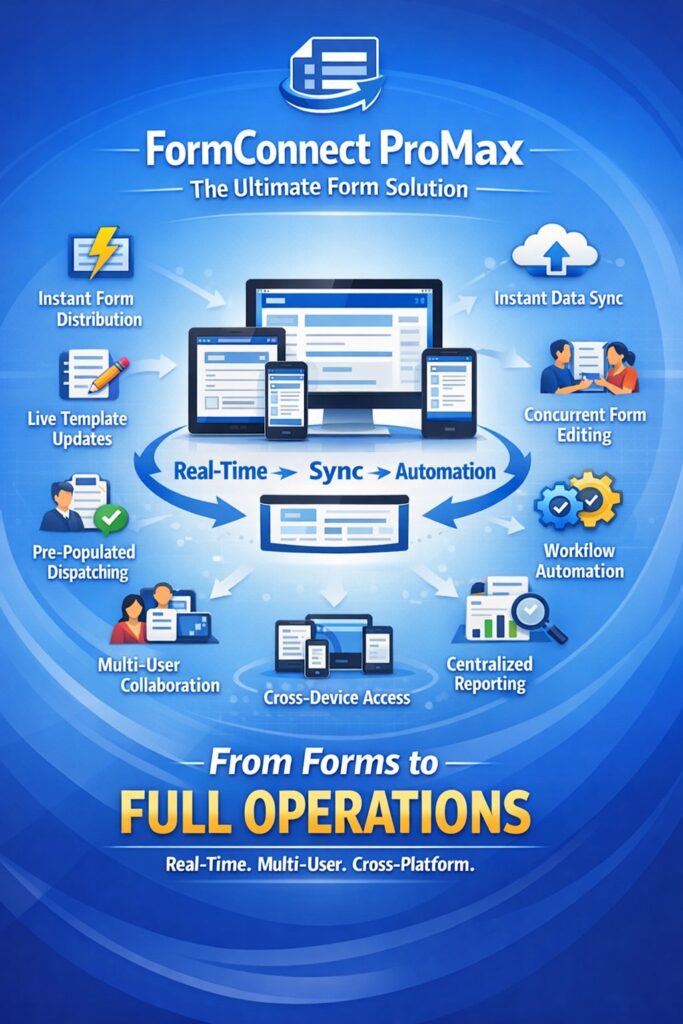
1. Effortless Form Distribution—No Exporting or Emailing Required
With FormConnect Pro and Pro+, sharing a form usually means exporting it via email, Dropbox, Box, Google Drive, or OneDrive. That process is manual, error-prone, and creates multiple versions floating around.
FormConnect ProMax eliminates this entirely. Administrators upload or update a form template once on the FormConnect server, and it’s instantly available to every authorized user—no exporting, no emailing, no hunting through inboxes. Forms are pushed directly to team members’ devices when they login to their account. Everyone always has the latest version, automatically.
2. Make a Change to the Form Template and Distribute It Immediately
Need to add a new field, update pricing, or fix a compliance question? With FormConnect Pro or Pro+, you’d have to recreate and redistribute the form manually.
With FormConnect ProMax, you make the edit once using the form builder (on iPad, iPhone, Mac, or PC), and the admin dashboard lets you push the updated template to all users—or to specific groups—instantly. Users see the change the next time they open the app. No downtime, no confusion, and no outdated forms in the field.
3. Dispatch Pre-Populated Forms Directly to Field Technicians
FormConnect ProMax includes built-in Field Service Dispatching and user notifications. Office managers can pre-populate a form with customer details, job information, or GPS coordinates and dispatch it straight to a technician’s device with a single tap.
The technician receives an instant notification, opens the pre-filled form, and gets to work. No more copying data from emails or spreadsheets. This feature alone saves hours every week and reduces errors dramatically—capabilities completely absent from the FormConnect Pro and Pro+ apps.
4. Instant Syncing: Filled-Out Records Reach the Office in Real Time
When a field technician finishes a customer record, the FormConnect Pro and Pro+ apps rely on manual exports or limited iCloud syncing (FormConnect Pro+ only). Delays are common.
FormConnect ProMax uses bi-directional syncing over its dedicated server. As soon as the technician saves the record, the completed form syncs instantly to the central database. Managers and reviewers in the office see it immediately, ready for approval, reporting, or follow-up.
5. True Concurrent Collaboration: Multiple Users on the Same Form at Once
FormConnect Pro and Pro+ are single-use apps. Only one person can work on a form at a time.
FormConnect ProMax supports group collaboration and concurrent editing. Multiple team members can open and work on the same form simultaneously—whether it’s two technicians updating different sections or an office reviewer adding notes while the field user is still entering data. Role-based permissions ensure everyone sees only what they need, and changes sync in real time across the team.
6. Access Forms from Any Device—PC, Mac, iPad, or iPhone
FormConnect Pro is limited to iPad and iPhone. FormConnect Pro+ adds Mac support.
FormConnect ProMax goes far beyond: native app support for the iPhone, iPad, and Mac, plus PC support via a web browser. Design a form on your Mac, dispatch it from your PC, review records on your iPad, and let the technician complete it on their iPhone—all in the same unified environment. Your team truly works anywhere, on any device, without friction.
Additional Form Management Advantages
- Centralized Admin Dashboard & User Management: Add or remove users, organize teams into groups (e.g., “Field Techs,” “Inspectors,” “Sales”), assign role-based permissions, and monitor everything from one web-based control panel.
- Dedicated Servers: Your data lives on our secure servers (not just local storage or Apple iCloud), with enterprise-grade reliability and automatic backups.
- Unlimited Forms & Scalable Licensing: No 50-form limit like FormConnect Pro. Multi-user licensing grows with your team.
- Enhanced Security & Compliance: UserID/password login (instead of Apple ID), granular permissions, and centralized oversight keep sensitive customer data protected and auditable.
Ready to Move Beyond Single-Use Limitations?
FormConnect Pro and Pro+ are fantastic for solo users or very small operations. But if your team needs to eliminate manual sharing, enable real-time collaboration, dispatch work instantly, and access forms from any device, FormConnect ProMax is the upgrade your business has been waiting for.
It’s not just an app—it’s a complete enterprise form management platform designed for speed, scalability, and simplicity.